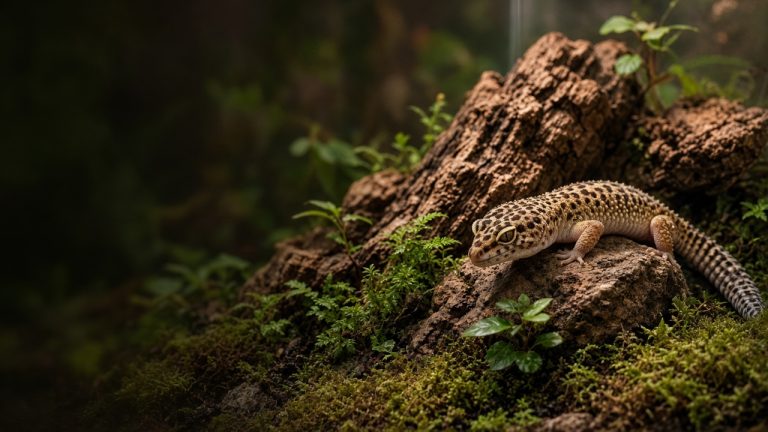

Best Thermostat for Reptile Heat Mats (and How to Set One Up)
Heads up: Terrarium Tested is reader-supported, and we may earn a commission if you buy through links on this page, at no extra cost to you. As an Amazon Associate I earn from qualifying purchases. Read our affiliate disclosure.
If you run a heat mat without a thermostat, you’re gambling. Finding the best thermostat for reptile heat mat setups is easier than it sounds. Heat mats don’t have a built-in limit. Plugged straight into the wall, many can hit surface temps well above 100°F, which is more than enough to burn a gecko’s belly. A thermostat is the cheapest insurance you’ll ever buy for your animal.
How we picked: researched picks based on manufacturer specs (control type, wattage limits, probe design, safety features) and long-term keeper reputation. We haven’t bench-tested these units, and we don’t claim accuracy numbers beyond what the makers publish.
Types of reptile thermostats
On/off thermostats
These switch power fully on until the target temp is hit, then fully off. They’re simple, cheap and fine for heat mats. Temperatures swing a little around the setpoint.
Pulse proportional thermostats
These pulse power rapidly to hold a very stable temperature. They’re excellent for heat mats and ceramic heat emitters. ReptiFiles specifically says deep heat projectors should run on a proportional dimming thermostat. Don’t use them with light-emitting bulbs, because they make the light flicker.
Dimming thermostats
Dimmers lower the voltage to a bulb, so they work with halogen and other lights as well as non-light sources. They’re the most flexible option if you run overhead heat.
What to look for
- Matching control type: on/off or pulse for mats; dimming for bulbs.
- Wattage capacity: make sure it handles your heat source with headroom.
- Probe quality and cord length: a long, solid probe you can secure where the gecko sits.
- Fail-safe features: alarms or a high-temp cutoff are a big plus.
- Day/night settings: handy if you want a nighttime drop.
Researched picks
Spyder Robotics Herpstat (Herpstat 1, 2 and up)
The Herpstat line is often called the gold standard by experienced keepers and breeders. The current Herpstat 1 has both pulse and dimming proportional modes, high and low temperature alarms, a safety relay and day/night ramping. A SpyderWeb version adds Wi-Fi monitoring. Stock on some models comes and goes, so check before you count on one. They cost more, but you buy them once.
Inkbird ITC-308 and Inkbird reptile thermostats
The Inkbird ITC-308 is a common budget on/off thermostat with separate heating and cooling outlets, alarms and an optional Wi-Fi version. The Inkbird ITC-306T, which has day/night settings, is the model ReptiFiles mentions for heat mats. For a single heat mat on a budget, they’re popular.
Vivarium Electronics VE-200 and VE-300
Vivarium Electronics makes solid thermostats widely used in breeding rooms. The VE-200 offers on/off, pulse or dimming control, a built-in safety shutoff and 700-watt capacity, and the VE-300 adds alarms.
Jump Start MTPRTC (Hydrofarm)
Originally a seed-germination controller, the Jump Start is an inexpensive on/off thermostat many keepers use for heat mats. It’s basic, but it does the job.
Zoo Med ReptiTemp and Exo Terra thermostats
Big-box pet store brands. Zoo Med’s ReptiTemp line includes digital and dimming options. They’re easy to buy locally if you need one today.
Avoid: plain rheostats as your only control
A rheostat (manual dial) reduces power but doesn’t respond to temperature. If the room warms up, so does your gecko’s belly. Use a real thermostat.
Comparison at a glance
| Thermostat | Control type | Best for |
|---|---|---|
| Herpstat | On/off, pulse, dimming (model-dependent) | Long-term setups, multiple heat sources |
| Inkbird ITC-308 | On/off | Budget heat mat control |
| Vivarium Electronics | On/off or proportional | Racks and breeding rooms |
| Jump Start | On/off | Single heat mat, tight budget |
How to set up a heat mat with a thermostat
- Stick the heat mat to the outside bottom of the enclosure under the warm hide, never inside. ReptiFiles suggests about 1″ of substrate over that spot so the gecko never sits directly on the hot glass.
- Plug the mat into the thermostat, and the thermostat into the wall.
- Place the probe inside the warm hide, on the floor right above the mat, and secure it so the gecko can’t move it.
- Set a target surface temp. ReptiFiles’ target for a leopard gecko’s warm hide is 90-92°F. Confirm it with a temp gun.
- Check after 24 hours with an infrared thermometer and a separate digital probe before adding the animal.
One note: many current care guides now favor overhead heat, ideally a halogen or incandescent heat bulb, as the main heat source for leopard geckos, because it warms the whole basking zone the way the sun does. ReptiFiles calls heat mats “still helpful” for bringing the warm hide up to temperature. Our leopard gecko temperature guide explains how to combine them.
Common thermostat mistakes
- Probe in the air: it reads cool, so the mat runs hotter than you think.
- Probe under substrate too deep: same problem, plus hot spots.
- Using a pulse thermostat with a bulb: causes flicker.
- Never double-checking: thermostats can fail. A separate thermometer is a backup. See our setup checklist for the full kit.
Heat mats vs overhead heat: a quick note
A thermostat makes a heat mat safe, but it doesn’t make a heat mat the best main heat source. Mats warm only the floor, while geckos in the wild bask under the sun and warm their backs too. That’s why so many keepers now pair a halogen on a dimming thermostat with a mat on an on/off thermostat. If you’re doing that, buy a thermostat for each, or a multi-channel unit that handles both.
How to tell if your thermostat is failing
Thermostats rarely fail, but when they do, it’s usually in the “stuck on” position. Signs include a basking spot that creeps higher every day, a display that freezes, or a relay that clicks constantly. Check your separate thermometer daily, at least in the first weeks. Some higher-end units, including several Herpstat models, include alarms for high temperatures, which is a real benefit if you’re away from home often.
Which thermostat for which heat source
A lot of confusion comes from mixing up control types, so here’s the short version, based on the manufacturers’ guidance and ReptiFiles:
| Heat source | Thermostat type |
|---|---|
| Heat mat under the warm hide | On/off (e.g. Inkbird ITC-306T, Jump Start) or pulse proportional |
| Halogen or incandescent heat bulb | Dimming proportional (e.g. Herpstat 1 in dimming mode, VE-200) |
| Deep heat projector | Dimming proportional |
| Ceramic heat emitter | On/off or pulse proportional |
On/off control is fine with a heat mat because the mat warms up and cools down slowly, so the small swings above and below your setpoint barely reach the gecko. Bulbs react fast, which is why dimming gives a much steadier basking spot.
Wattage and heat mat sizing
Every thermostat has a maximum load, often hundreds of watts, and a typical reptile heat mat uses far less. Most single-enclosure setups never get close to the limit. The more common mistake is buying a mat that’s too big. A mat should cover roughly the area under the warm hide, not a third of the floor. Match the mat to the hide, set your thermostat, and check the hide floor with a temp gun.
FAQ
Do I really need a thermostat for a heat mat?
Yes. Without one, heat mats can get hot enough to burn reptiles.
What temperature should a leopard gecko heat mat be?
ReptiFiles gives 90-92°F for the warm hide. Measure with a temp gun or a digital probe.
Can I use one thermostat for two heat sources?
Only if both are in the same zone and within the wattage limit, or if you use a multi-channel unit like some Herpstat models.
Where does the thermostat probe go?
Inside the warm hide, directly over the mat, secured so it can’t move.